Showing posts with label Blogger SEO. Show all posts
0
[postlink]https://iamdaowner.blogspot.com/2012/07/off-page-seo-7-tips-on-how-to-build.html[/postlink]Well a site cannot get expected traffic without doing seo in the world of completion. After introducing on page seo. Now come back to introduce off page seo and basics of off page seo. As the word off page seo shows to do seo staying off from own page. Means to optimize a website from other sources. In simple a short we can define it as link building or creating backlinks. Off page seo helps site to get rank in search engines. 

Fairly Off page seo is to create and build backlinks from several of ways. Off page seo is a hungriness of backlinks.”There so many ways to do off page seo or creating backlinks but now, let me show you how to build links to your pages:
1. Profile Pages
Build Profile Pages in the top Social Media sites like:
Google+ Profiles-         https://profiles.google.com          (A Must)
Facebook Pages –         http://www.facebook.com/pages/            
Twitter Profiles-         http://twitter.com     
LinkedIn Professional Profiles – http://www.linkedin.com/company/professional-profiles                   
YouTube Channels –         http://www.youtube.com/channels            
Quora Profile –        http://www.quora.com 
About.me Profile –          http://about.me
2. Guest Posting  
Another powerful way to get backlinks is guest blogging.
In addition to building back-links to your site/page, it is an effective way to drive massive traffic to your website. So, if you are not using guest blogging as a link builder and instant traffic machine, I highly recommend that you start using it.
It is also advisable that you guest post in high traffic and preferably   authority sites in your niche.
Now, the obvious question that comes to your mind is hot to get these high traffic sites who accept guest blogging.
It is very simple …
Just use any of the following search queries in Google…
“Keyword Phrase” + “become a contributor” OR “contribute to this site”
“Keyword Phrase” + “guest article”
“Keyword Phrase” + “guest blog”
“Keyword Phrase” + “guest blogger”
“Keyword Phrase” + “Guest bloggers”  Let me show you with an example …
Let’s say that your website is about “investment”, then in order to find investment sites that accept guest blogging, enter the
following search query into Google search box
“Investment” + “guest blogger”
Once you hit the search button, you are going to get
Once you get the list of sites, scan each site to get the potential
sites that accept guest blogging.
Then browse the potentials sites to find out the guidelines on how to submit your guest post.
3. Directories  
Another way to build back-links to your site is to submit your site to web directories that aggregate links.
I would also like to point out that you focus on authority sites like DMOZ or web directories related to your niche.
Here are the search queries that you need to use to find web directories in your niche …
“Keyword Phrase” + “add a site”/”submit site”/”suggest site”
“Keyword Phrase” + “add URL”/”submit URL”/”suggest URL”
“Keyword Phrase” + “add listing”/”submit listing”/”suggest listing”
“Keyword Phrase” +”add your business”/”list your business”
“Keyword Phrase” + intitle:”directory”
“Keyword Phrase”+ inurl:”directory”
Let me illustrate with an example …
Let’s say that you have a site about “Skin care”, then to find potential sites for link building, enter the following search query into Google search box
“Skin care” + “add URL”/”submit URL”/”suggest URL”
Hit search and you are going get a list of sites to submit your link. Browse each potential site to find out on how to submit your link.
4. Blog Commenting
The other powerful way to drive instant traffic and links to your website is by commenting on other blogs.
Commenting is mainly aimed for 3 main purposes:
  • Drive instant traffic to your blog
  • Build a link
  • To establish a relationship with other blog owners.
The aggregate effect of commenting on other Blogs is paramount. Therefore, you need to find high traffic, preferably authority Blogs
which are related to your niche and  leave valuable and relevant comment.
As I have pointed out again and again, make sure to focus on blogs related to your niche and preferably high authority blogs.
The beauty of Blog commenting is …it is very simple.
Let me show the search query used to find blogs that allow commenting
“Keyword Phrase” + “add comment”  “Keyword Phrase” + “post comment”
“Keyword Phrase” + “leave comment”
Let me show you with an example …
Let’s say that you want to find blogs related to “weight loss”, then all you have
to do is to enter the following search query into Google search box
“Weight loss” + “add comment”
Once you hit search, you are going to get a list of blogs that allow blog commenting.
So, go and leave your comment …
5. Niche Forums 
Forums are great way to build back-links to your website. So, in this section, I
will show you simple ways to find forums that can help you build links to your
site.
But, I want to make very clear that …
You need to build links from forums in your niche. Don’t also forget about the
quality of the links we have discussed before.  Here are the search queries that
you need to use:
“Keyword Phrase” forum
“Keyword Phrase” discussion boards
“Keyword Phrase” “sign up OR register OR join”
“Keyword Phrase” “Powered by phpBB” OR “powered by vBulletin”
6. edu or .org Back-links ( Highly Recommended ) 
If you have been online for some time, most probably, you already aware that EDU back-links are very powerful way to boost your search engine ranking.
So, if you want to boost the search engine ranking of your site, make sure to build links form edu sites.
Let me show you how to easily find EDU back-links which are used by your competitors.
Please follow me …
For instance, if you want to find blogs for .edu back-links purposes, you can use
the following search query.
Site:.eduinurl:blog “post a comment”
And, if you want to get .org back-links, you can follow almost the same
procedures used to find .edu back-links.
Simply, Change .edu with .org
7. Re-Purposing Your Content 
The easiest way to get back-links quickly is to convert or re-purpose your
website content into another format.
Some of the ways are:
  1. Collect some of your website articles, compile and change them into PDF format. Then post to Scribd and Docstoc.
  2. Change your articles into power point presentations and submit them to        slide share document sharing sites.
  3. Change your articles into an audio series and submit it to or iTunes  (podcasts).
  4. Change your web content into video series and submit it to video hosting sites like Vimeo and YouTube.

Off-Page SEO – 7 Tips On How To Build BackLinks

0
[postlink]https://iamdaowner.blogspot.com/2012/07/5-new-seo-friendly-blogger-templates.html[/postlink]
Blogger is another biggest blogging platform after WordPress. Many bloggers blogs on Blogger blogspot to make money, sharing experience and so on. For the professional blogging, you must useSEO friendly template which helps you to bring more traffic and more income to your blog. I’ve got some few SEO friendly, adsense ready and professional Blogger templates.
And here are they:

Thesis Blogger Template

Thesis Blogger template is the most used template in 2011. Originally, Thesis is WordPress theme and converted to Blogger template by Hack Tutors.

Platinum Blogger Template

Platinum is clean looking Blogger template which can be used for any niche.

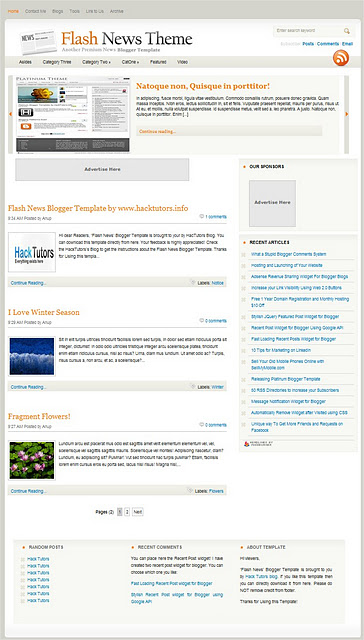
Flash News Blogger Template

Flash news contains 2 column and and featured post widget ready on the top. It can be used if you blog is related to technology and news.

Social Eyes Blogger Template

Recently, Hack Tutors released Social Eyes Blogger template which is awesome!

Blogussion Blogger Template

Blogussion is originally converted into Blogger template by Suraz from HackTweaks.com
These all Blogger template sare popular and SEO optimized which helps you to get more traffic and visitors to your blog. Surely, your visitors will return back by using such Blogger Templates.

5 New SEO Friendly Blogger Templates

0
[postlink]https://iamdaowner.blogspot.com/2012/07/6-free-seo-friendly-blogger-templates.html[/postlink]
It’s overwhelming when you have to select from thousands of free blogger templates. They come in all sizes and shapes. SEO friendly. SEO unfriendly, three column, two column, column less and what not?
One mistake most of the new bloggers commit is to pick up a fancy template. It’s appealing, bright, full of colors and there’s that large background picture of your favorite movie star. For a human eye – it’s appealing.But one important factor was missed there – how would it affect you in the long run? And how good is the template for search engines? (OK that makes it two questions.)
It’s very important to ensure that your template(fancy or not) is Search Engine friendly.And with all the junk templates available on a simple google search, it’s easy for a newbie to pick up a bad template.
If you’re looking for SEO friendly WordPress themes (which are far more SEO optimized),check this collection.
Here’s a list of top SEO friendly templates for blogger. They were all tested for SE friendliness, Cross browser compatibilities and general appeal.

6 free SEO friendly blogger templates

0
[postlink]https://iamdaowner.blogspot.com/2012/07/5-best-seo-friendly-blogger-template.html[/postlink]5 Best SEO Friendly Blogger Template
This time Tretan discuss SEO Friendly Templates for Blogger.Blogger templates SEO Friendlysupport is usually simple and fast loading. SEO is usually used for the race to become the first in a google search page and the means to increase visitors to increase the coffers of the income from blogging, or may be called SEO Marketing. Not a few of the hunters are using the SEO Blogger than Wordpress, SEO may be more potent than wordpress blogger. Thanks for the review and Digitalbunch and Hack Tutors.

Here are 5 SEO Friendly Blogger Template for Blogger:


1. THESIS BLOGGER TEMPLATE

DEMO | DOWNLOAD


2. PLATINUM BLOGGER TEMPLATE


DEMO | DOWNLOAD


3. Flash News Blogger Template


DEMO | DOWNLOAD


4. Social Eyes Blogger Template


DEMO | DOWNLOAD


5. Blogussion Blogger Template

5 Best SEO Friendly Blogger Template

0
[postlink]https://iamdaowner.blogspot.com/2012/06/add-meta-description-tags-to-blogger.html[/postlink]
Meta Tags are HTML elements used to provide structured metadata about a web page. Such tags are placed in the head section of an HTML document and Search Engines might use this data to display the search snippet when they display a page from your blog. Most of the Social Sharing Tools like the Facebook Share or the Google Plus buttons will pick up this meta description to create the snippet which gets shared to the Social Networks.
 

How to add Meta Description Tags

Blogger has rolled out an array of SEO features and now adding Meta Tags has become so easy. You can do it easily from the Blogger’s User Interface without doing much of Template Editing or pulling your hair. So here is how to do it
  1. Go to Settings Search Settings and Enable Meta Tags. In the Text area give a 150 character description which will describe your Blog. This text might be used by Search engines when your Blog’s home page is displayed on Search Engines. Here is the snippet that I have given “Blogger Widgets provides you the best quality blogger tutorials.It also provides you with free blogger widgets and  gadgets to build a better blog.”Meta Tags For Blogger
  2. Now when you make a Post, you can set the Meta Description from the Post Editor’sPost Settings  Sidebar.Meta description Tags For Blogger
    You can always edit the Search Description for existing posts as well
  3. If you are having a custom template, make sure that the following line of code is present in your template. To do that go to Template and Proceed to Edit HTML .Find
    <b:include data='blog' name='all-head-content'/>
    If it's not present, add it just before </head>
  4. That's It you have done it.

Add Meta Description Tags to Blogger

0
[postlink]https://iamdaowner.blogspot.com/2012/06/redirect-one-page-to-another-in-blogger.html[/postlink]
Blogger has launched an Array of Search Engine related features and one of them is the ability to create Custom Redirects. Technically Blogger allows you to create 302 Redirects which are used to specify that the Web Page has temporarily moved to a new location.

What is a redirect ?

A visitor coming to a particular web address is redirected to another web address. This process is called Redirect. Blogger allows you to create Internal Redirects which means that you will be able to redirect the user coming to a particular URL on your blog to another URL on your Blog.

When are Blogger Redirects Useful?

Consider a situation where a page on your Blog was really popular and later you decided to delete it for some reason. Since that page is popular, references to that URL might be there at multiple Blogs/Websites which linked to you. The users coming to that popular URL will now be greeted with a 404 Page not Found Error. You might be loosing some potential readers/subscribers here. One way of resolving this would be to redirect the guy to some other relevant page. This is exactly what Blogger’s Custom Redirects do.
You can also use the Blogger Redirection Tool to create short links. For example you might want to redirect yourblog.blogspot.com/yourname to  your contact page. You can do that easily using the Blogger’s Redirect Tool.

How to add Redirects?

I will describe this using an Example. I had a post about Meta Tags on my Blog. This entry was made some 4 years back  and when Blogger launched the new Search Options, it became irrelevant. So I just deleted that post and made a new entry in my Blog with the new details. Now the visitors coming to that 4 year old URL from various sources would be greeted with a 404 error. I don’t want that to happen but I need that user to be sent to my new Blog Post.
  1. To do a Redirect you should have 2 URLs. The first one is the URL which should be redirected to the target. The target is the second URL where the user should be redirected to.
  2. The second thing that you have to do is to get the relative paths of these URLs.e.g.: The relative path to http://www.bloggerplugins.org/2008/06/meta-tags-for-blogger-blogspot.html is  /2008/06/meta-tags-for-blogger-blogspot.html . You might have already figured out that you should remove your Blog’s home page URL from the URL to get the relative path. You should also make sure that the Relative path starts with a slash (/)
  3. Similarly you have to figure out the relative path to the Target URL. I opted for/2012/03/add-meta-description-tags-to-blogger.html
  4. Once you have got these 2 Relative paths, you can do the Redirect at Settings >Search Preferences > Errors & Redirects > Custom Redirects Add the From and To Fields there and click on the Save link and then on the Save SettingsButtonCustom Redirect Settings Blogger
  5. You can add more Redirects in a similar way.

Redirect one page to another in Blogger

Grab the widget  IWeb Gator
Powered by Blogger.

Click the Like Button Below To Receive all updates via Facebook

Powered By Blogger Tricks |

Popular Posts